WELCOME TO WALIKU!
  • HOME
  • Our Team
  • APPROACH
    • Technology
    • Implementation
    • Impact
  • Partner Programs
    • On-going >
      • Catch-up Clubs
      • Ethiopia
      • Guatemala
      • India
      • Liberia
      • Malawi
      • Nigeria
      • Rwanda
    • Completed >
      • Colombia
      • El Salvador
      • Ethiopia
      • Indonesia
      • Malawi
      • Myanmar
      • Laos >
        • Learn to Read
        • LEAPS III
      • Lebanon
      • Philippines
      • SPAESHA
      • Uganda
      • Yemen
  • Users
    • Waliku in-house >
      • All Tutorials >
        • Waliku Admin Tutorials
        • Waliku Class Tutorials
      • Catch-up Clubs & Non-formal Education Tutorials
      • Formal Schools Tutorials
    • Waliku in DHIS2 >
      • Pilot Projects
      • Tutorials
    • Waliku Train
    • Waliku Triage
    • PROJECT MONITORING PORTAL >
      • Catch-up Clubs Portal
      • Colombia Portal
      • El Salvador Portal
      • Ethiopia Portal
      • Guatemala Portal
      • India Portal
      • Indonesia Portal
      • Laos >
        • LEAPS Portal
        • Learn to Read Portal
      • Malawi Portal
      • Myanmar Portal
      • Nigeria Portal
      • Philippines Portal
      • Uganda Portal
      • Yemen Portal
      • Waliku Global Portal
    • Report an Issue
    • Privacy Policy
    • FAQ
  • BLOG
  • Contact

Catch-up club & ​Non-formal
education tutorials

Picture
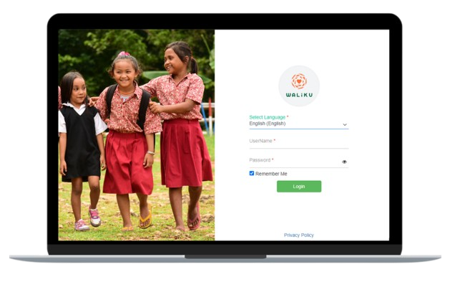
Discover tutorials tailored to the Catch-up Club and non-formal education use cases, where you can learn how to effectively manage learner management from the baseline process to end-of-round assessment. Waliku Admin configures app access settings for different stakeholders at country, state, district, school, and project level, including features for setting up the academic cycle for non-formal education. This app provides comprehensive reports on absences and their main reasons, along with data on those who are chronically and severely chronically absent. Administrators can also track trends in learner absences and gain valuable insights through deep dives.

Waliku admin 4.3 update:
​improved features and enhancements

SIngle daily attendance
​

This video will show you how to record learner daily attendance in Waliku Admin

bulk import learners for multi-schools

This video will show you how to bulk import learners for multiple schools in Waliku Admin

bulk import attendance with date picker​

This video will show you how you to bulk import attendance using date picker in Waliku Admin

BULK import subject absence aggregate

This video will show you how to bulk import subject absence aggregate to Waliku Admin
YouTube Playlist

tutorials

start of academic cycle

baseline

download import template and copy learners data

This video will show you how download the import template, copying the shortlisted learners data and performing the import process in Waliku Admin

enrolment

1. add or edit school

This video will show you how to create school or edit the existing school data in the system

2. Add academic cycle

This video will show you how to create or edit clubs to the academic cycle

3. add or edit club

This video will show you how to create school or edit the existing school data in the system

4. add or edit user
​

This video will show you how to add user or edit existing user data in the system

5. assign user as
​mentor or clf

This video will show you how to assign user as a mentor or Community Learning Facilitator

6. assign clf to club
​
​

This video will show you how to assign Community Learning Facilitator to club

7. map subjects to club

This video will show you how to map subjects to clubs

8. Bulk import learners

This video will show you how to bulk import learners

9. add or edit learner

This video will show you how to add learner or edit learner's data

10. add events to academic cycle calendar

This video will show you how to add club events to the academic calendar

re-enrolment

re-enroll learners

This video will show you how to re-enroll learners to the next academic cycle
ROUND "1" TO ROUND "N" AC​TIVITIES

LEARNER ATTENDANCE

Waliku Class

take learner attendance (​online)

This video will show you how to take learner attendance using Waliku Class when you are connected to the internet

record absences &
clear backlog​

This video shows you how to record absences on the third day of absence, along with clearing backlog

take learner attendance (offline)

This video will show you how to take learner attendance using Waliku Class when you are not connected to the internet

take learner historical attendance

This video will show you how to take learner's attendance for the previous days

manual sync
​

This video will show you how to sync the attendance record online

Waliku Admin

bulk import learner
​daily attendance

This video will show you how to bulk import learners' daily attendance

bulk import learner
​weekly attendance

This video will show you how to bulk import learners' weekly attendance

bulk import leaner monthly attendace

This video will show you how to bulk import learners' monthly attendance

Resolve errors during import process

This video will show you how to resolve any error and re-import the learners attendance in Waliku Admin

staff ATTENDANCE

Take staff attendance
​on waliku Admin

This video will show you how to take staff attendance on Waliku Admin when you are connected to the internet

Take staff attendance
​on waliku class (online)

This video will show you how to take staff attendance on Waliku Class when you are connected to the internet

school-level reports

daily school ​Report

This video will show you how to use the data in the daily school summary report

weekly school report

This video will show you how to use the data in the weekly school summary report

monthly school report

This video will show you how to use the data in the monthly school summary report

yearly school report

This video will show you how to use the data in the yearly school summary report

club-level report

daily club ​report

This video will show you how to use the data in the daily club report for reporting purposes

weekly club report

This video will show you how to use the data in the weekly club report for reporting purposes

monthly club report

This video will show you how to use the data in the monthly club report for reporting purposes

comparing clubs

This video will show you how to use the compare classes data to check attendance rate and if teachers have taken attendance for the day

child and staff reports

child report

staff report

This video will show you how to use the data in the individual child report
This video will show you how to use the data in the staff summary report for reporting purposes

end of round assessment

export learner data for kobo

This video will show you how to export learners data from Waliku Admin to Kobo

add or edit learning outcome

This video will show you how to individually add or edit learning outcome

bulk import learning outcome

This video will show you hot to import learning outcomes in bulk

end of round maintenance

delete & Reactivate
​LEARNER

This video will show you how to delete and reactivate learners if you delete them by accident

add or edit club
​

This video will show you how to add new clubs or edit existing clubs in Waliku Admin

re-enroll learner

This video will show you how to re-enroll learner to the next academic cycle

move learner

This video will show you how to move  learner to another club

change school

This video will show you how to transfer learner to another existing school in Waliku Admin 
END OF CYCLE ACTIVITY

end of cycle assessment

export learners data from kobo

This video will show you how to export learners data from Kobo

delete learners​

This video will show you how to delete graduated or drop-out learners
App settings

manage notifications

This video will show you how to set up task notifications for users and the frequency of those notifications

manage page access
​

This video will show you how to ensure that different users have access to different pages in Waliku Admin

configure absence
​

This video will show you how to add/edit/delete absence reasons, sub-complaints, explanatory notes and recommendations

export kobo data
​

This video will show you how to export Kobo data

learner data analysis

This video will show you how to check learners data and merge learners that have duplicate names

manage project
​

This video will show you how to create project in Waliku Admin
others

Add member to distribution list

This video will show you how to add members to dashboard distribution list as a user


If you have any problem accessing any tutorials, please contact our support team.
Powered by Create your own unique website with customizable templates.
  • HOME
  • Our Team
  • APPROACH
    • Technology
    • Implementation
    • Impact
  • Partner Programs
    • On-going >
      • Catch-up Clubs
      • Ethiopia
      • Guatemala
      • India
      • Liberia
      • Malawi
      • Nigeria
      • Rwanda
    • Completed >
      • Colombia
      • El Salvador
      • Ethiopia
      • Indonesia
      • Malawi
      • Myanmar
      • Laos >
        • Learn to Read
        • LEAPS III
      • Lebanon
      • Philippines
      • SPAESHA
      • Uganda
      • Yemen
  • Users
    • Waliku in-house >
      • All Tutorials >
        • Waliku Admin Tutorials
        • Waliku Class Tutorials
      • Catch-up Clubs & Non-formal Education Tutorials
      • Formal Schools Tutorials
    • Waliku in DHIS2 >
      • Pilot Projects
      • Tutorials
    • Waliku Train
    • Waliku Triage
    • PROJECT MONITORING PORTAL >
      • Catch-up Clubs Portal
      • Colombia Portal
      • El Salvador Portal
      • Ethiopia Portal
      • Guatemala Portal
      • India Portal
      • Indonesia Portal
      • Laos >
        • LEAPS Portal
        • Learn to Read Portal
      • Malawi Portal
      • Myanmar Portal
      • Nigeria Portal
      • Philippines Portal
      • Uganda Portal
      • Yemen Portal
      • Waliku Global Portal
    • Report an Issue
    • Privacy Policy
    • FAQ
  • BLOG
  • Contact